Choosing a Service
What Does a Senior Safety App Actually Do — and What Can't It Do?
By The Cozy Check-ins team·Last updated October 29, 2026
No app can keep an older adult safe on its own. What people call a "senior safety app" is usually one of three things: a daily check-in app, which tells the family each day that a parent checked in, or that they didn't; a medical alert app or device, which lets a person call for help in an emergency; or a location-sharing app, which shows where someone is.
A daily check-in — the kind Cozy Check-ins is — does one narrow job well: it makes sure a missed day doesn't go unnoticed. It doesn't detect falls, call 911, or tell you why a check-in was missed.
Why are families looking for a senior safety app?
Because a lot of older parents live alone, often far from their kids. Pew Research Center found that 26% of U.S. adults 65 and older lived alone in 2023, and 38% of those 85 and older did (Pew Research Center, December 4, 2025, checked October 28, 2026).
The worry behind the search is usually simple: if something happened, how long would it be before anyone knew? That's the question a daily check-in is built to shorten. It's not the same as preventing something from happening.
What counts as a "senior safety app"?
Daily check-in — Your parent does one small thing each day: taps a button, answers a call, replies to a text. If they don't, the family is told. Good for a parent who is independent and living their own life.
Medical alert — Your parent presses a button, often on a pendant or watch, to reach a response center or 911 in an emergency. It only helps if they're wearing it and able to press it. See Life Alert alternatives and what to do if your parent won't wear a pendant.
Location sharing — The family can see where your parent's phone is. Some parents find it reassuring; many find it feels like being watched.
These are different tools for different jobs. Many families use more than one.
What does a daily check-in app do?
It does three things:
- Asks once a day. A text, an app notification, or a phone call at a time your parent picks.
- Records the answer. One tap, one key press, one word. The family can see your parent checked in today.
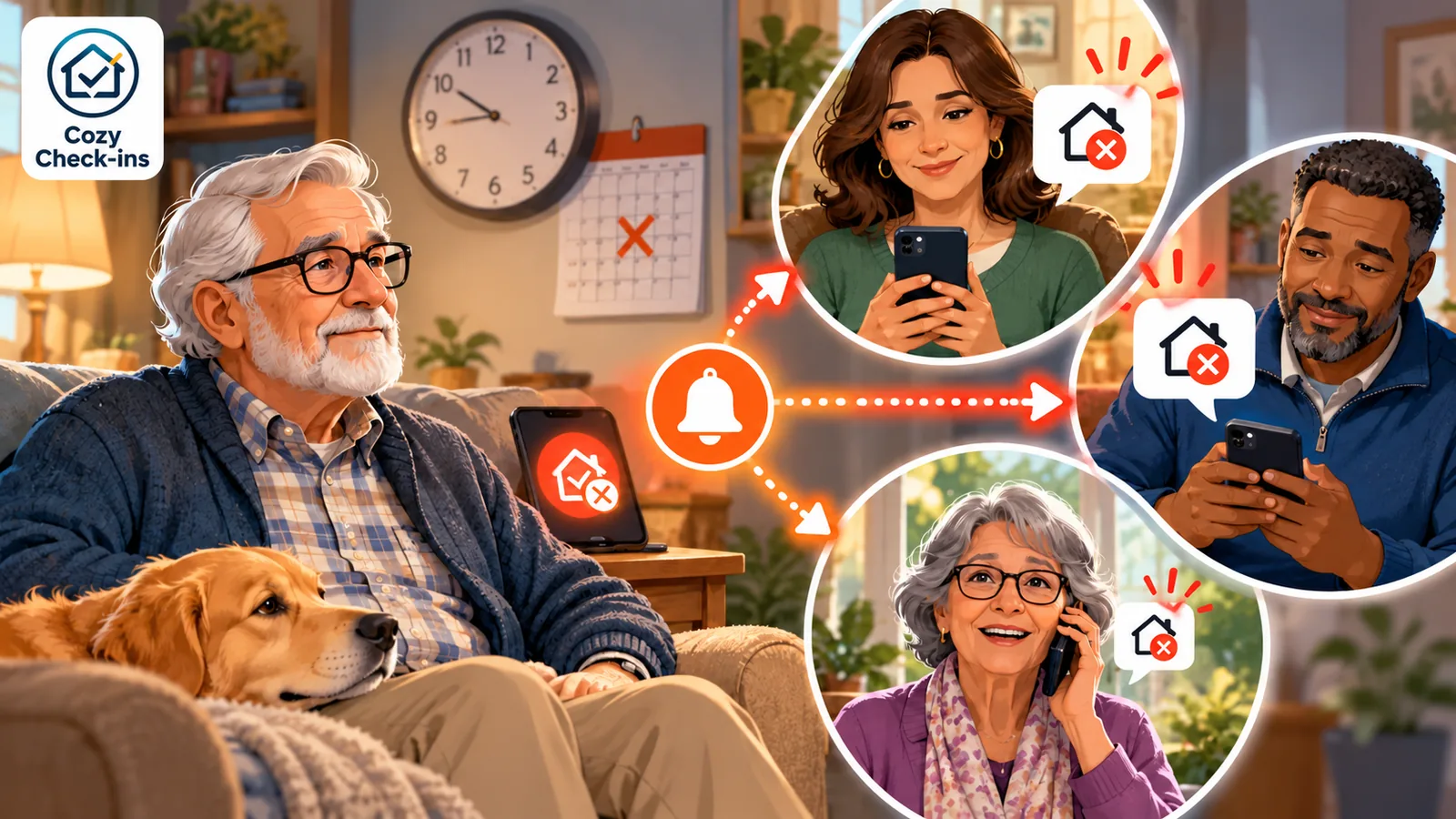
- Speaks up when the answer doesn't come. Usually a reminder or two to your parent first, then a message to the people on their list, so a real person can call or stop by.
With Cozy Check-ins, for example, your parent taps one button in a daily text or app notification, or presses 1 on a short daily call (US only). Their family Circle sees it. If it's missed, the family is told.
What doesn't a daily check-in app do?
Be clear-eyed about this before you choose one. (Our guide to non-medical check-in services covers this from another angle.)
- It doesn't detect falls. It can't sense anything. It only knows whether the check-in happened.
- It doesn't call 911. A missed check-in goes to family, not to emergency services. (Some paid services add a dispatcher who can ask local responders for a welfare check; that's a different, extra service.)
- It doesn't know why. A check-in can be missed because your parent slept in, went to the store, or the phone died — or because something is wrong. Snug, one of the best-known check-in apps, says the same thing about its own service: a missed check-in "is not necessarily an emergency, but it is worth following up on" (Snug Safety help center, checked October 28, 2026).
- It doesn't guarantee how fast anyone responds. Even free government call programs say so. Maryland's Senior Call Check says it isn't a substitute for 911 and doesn't guarantee that any emergency service or law enforcement agency will check on a participant (Maryland Department of Aging, checked October 28, 2026).
- It doesn't replace visits or calls. It's a floor, not a relationship. The point is that a quiet day gets noticed — the conversation is still yours.
So why use one at all?
Because the alternative, for many families, is nothing in between "we talk on Sundays" and "a neighbor noticed the mail piling up." A daily check-in fills that gap without cameras, without tracking, and without asking your parent to wear anything. It turns "I wonder how she's doing" into "she checked in at 9:12."
It works best when it's paired with a plan for what happens next.
Check the phone your parent already has
Many smartphones already have an emergency feature built in — for example, a way to call emergency services by pressing a button a set number of times, and to share location with chosen contacts. A daily check-in app doesn't replace those. Before adding any app, set up what the phone already offers, and practice it once with your parent. Our guide to phones for seniors walks through the main options.
How do you set one up so it actually helps?
- Choose something your parent will really do. If they don't use a smartphone app, pick a text or a call. Pew found that among U.S. adults 65 and older, 96% own a cellphone of some kind, but 79% own a smartphone (Pew Research Center, survey run January to June 2026, checked October 28, 2026).
- Decide who follows up. Name who calls first, who lives closest, and who has a key.
- Tell your parent what happens if they miss one. No surprises, no hard feelings when a sibling calls.
- Test it once. Let a check-in pass on purpose and see who hears about it, and how soon.
- Keep the emergency plan separate. If your parent needs emergency response, that's a medical alert system or 911 — not a check-in.
Sources
- Pew Research Center, December 4, 2025
- Snug Safety help center
- Maryland Department of Aging
- Pew Research Center
Cozy is a non-medical peace-of-mind service, not a medical alert or emergency system.
Frequently asked questions
- Is a daily check-in app a safety app?
- It's a narrower tool. A daily check-in tells the family each day that your parent checked in, or that they didn't, so a missed day doesn't go unnoticed. It doesn't detect falls, call 911, or keep anyone safe on its own.
- Does a daily check-in detect falls?
- No. It can't sense anything. It only knows whether your parent did their daily check-in. If you need fall detection or emergency response, look at a dedicated medical alert system.
- What happens if my parent misses a check-in?
- With most services, your parent gets a reminder first, then the people on their list are told so a real person can call or stop by. A missed check-in doesn't tell you why it was missed.
- Does my parent need a smartphone?
- Not for every service. Some work by plain text or by a daily phone call. Cozy Check-ins works by a one-tap text or app notification, or a short daily call where your parent presses 1 (US only).
- Can a check-in app replace a medical alert system?
- No. They do different jobs. A medical alert system is for calling for help in an emergency; a daily check-in is a once-a-day touchpoint for the family. Some families use both.
Keep a copy to print or share with family.
The Cozy Check-ins team
Cozy Check-ins is a daily check-in for older adults — one tap in a daily text, or a short daily phone call for a parent without a smartphone. No app needed for them (an optional app is coming — always optional).
More from the blog

Choosing a Service
Snug Safety App: Is It Free, What Dispatch Costs, and the Best Alternatives for Families
Snug Safety is one of the best-known daily check-in apps. Here's what's free, what Dispatch costs, what it asks of your parent, and the Snug Safety alternatives that work by text or phone call.
August 5, 2026
Choosing a Service
Daily Check-In Services for Seniors: An Honest Guide
A daily check-in service lets an older adult check in once a day — and alerts family if the check-in is missed. Here are the kinds of service, the free options, and what to look for.
August 5, 2026
Choosing a Service
Apps for Seniors Living Alone: What Actually Works (and What They'll Actually Use)
If your parent lives alone, the right "app" might not be an app at all. An honest look at daily check-in services, medical alert apps, cameras, and plain phone routines.
August 4, 2026